
Feedback → Roadmap → Changelog → Docs
Close the loop between feedback and docs
Collect what your users ask for, ship what matters, tell them when it lands — and keep your documentation in sync. Automatically.
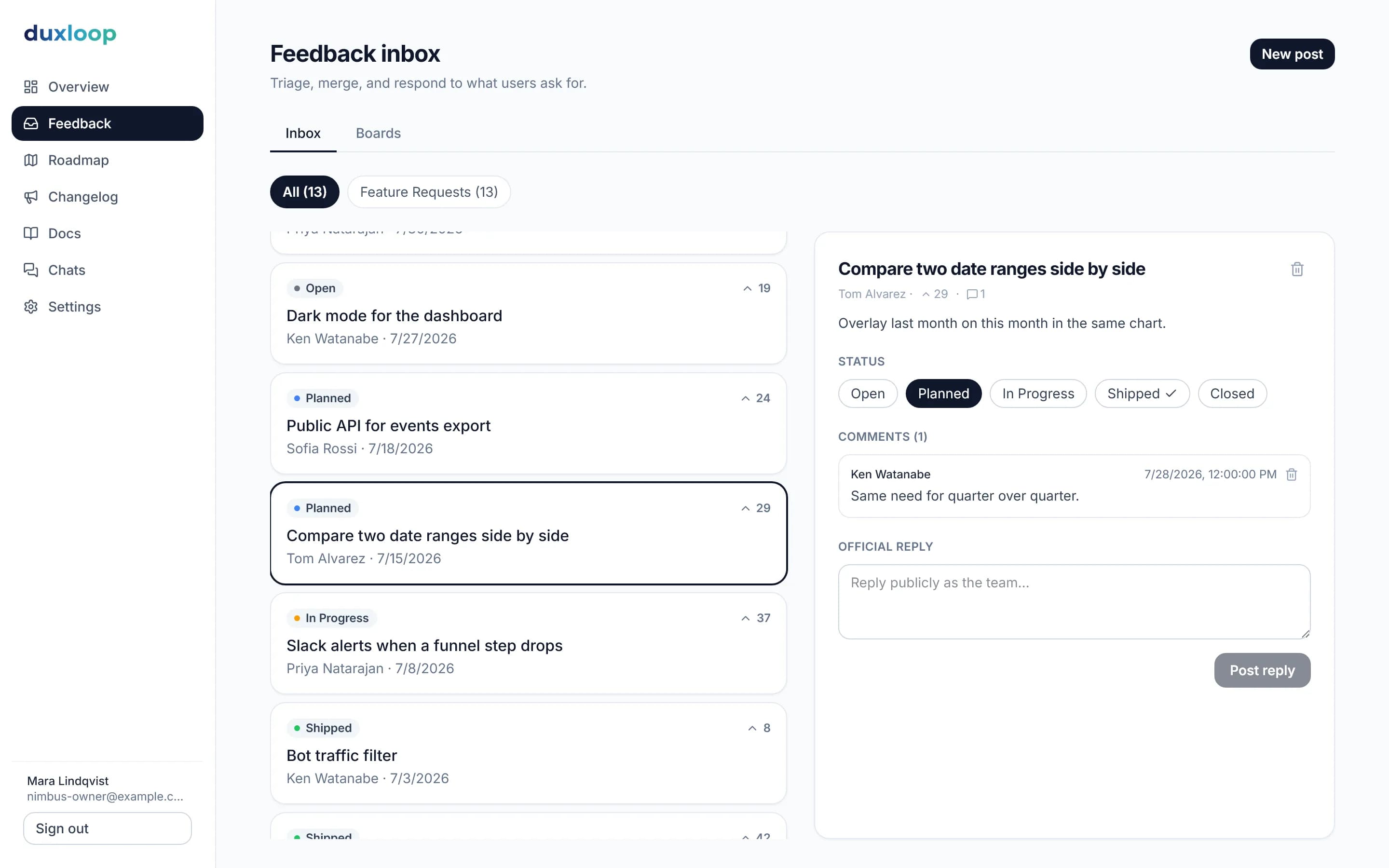
One loop, four steps
Most tools stop at the changelog. duxloop keeps going until the docs are updated too.
- 01
Collect
Public board, embeddable widget, email follow. Users vote — you see what matters.
- 02
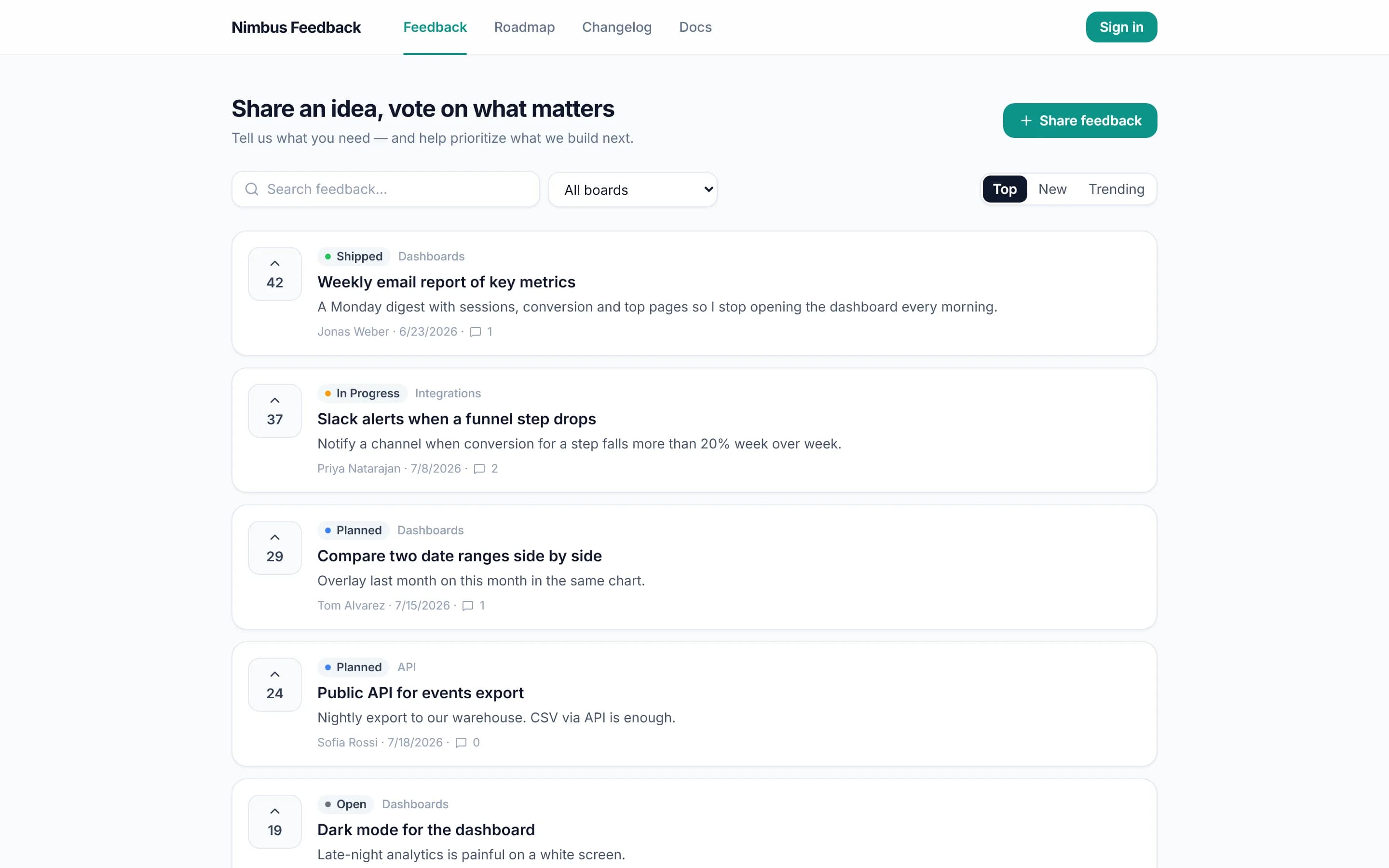
Prioritize
Statuses, merge duplicates, roadmap columns straight from the posts.
- 03
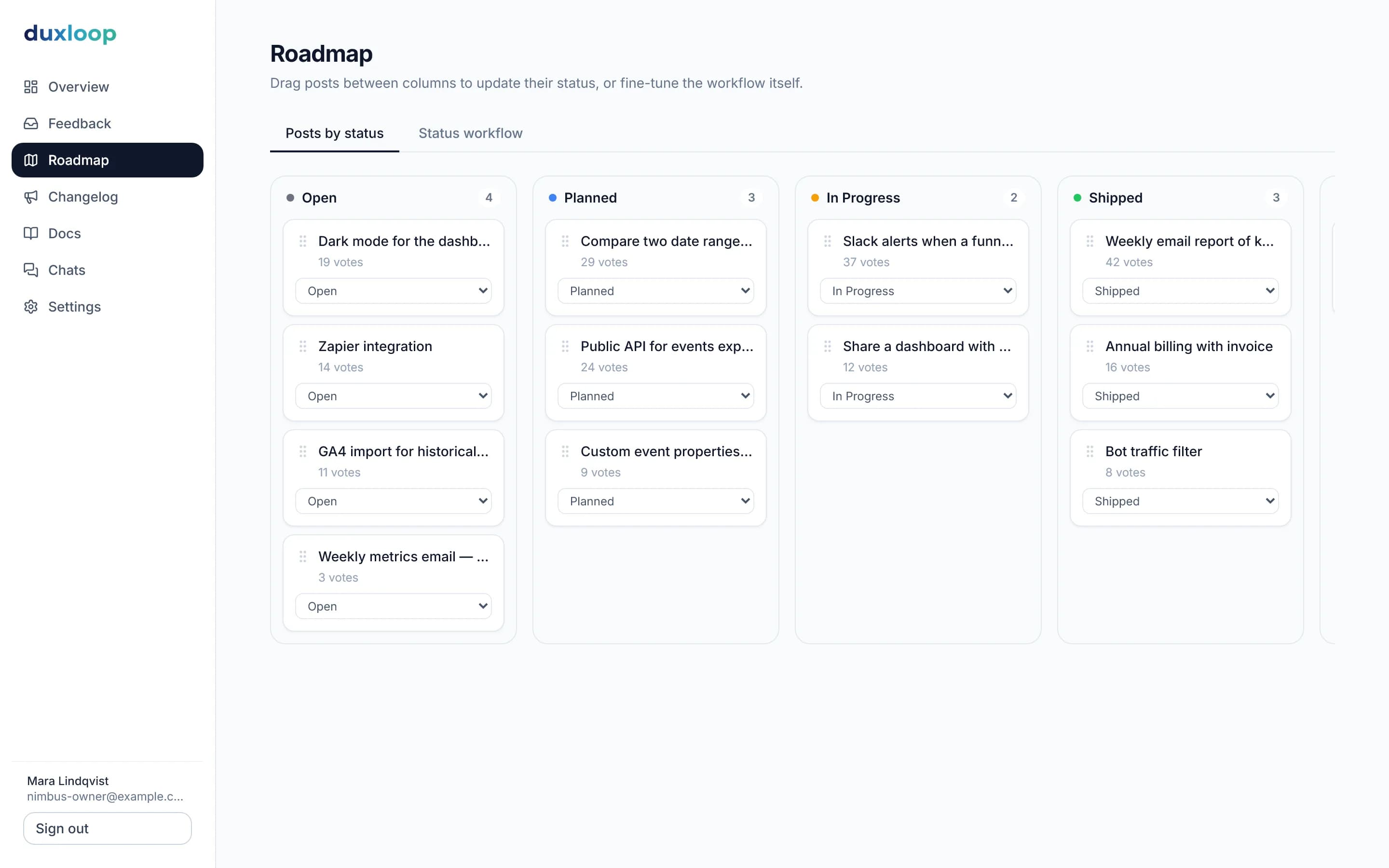
Ship & notify
Publish a changelog entry — everyone who followed the post gets an email.
- 04
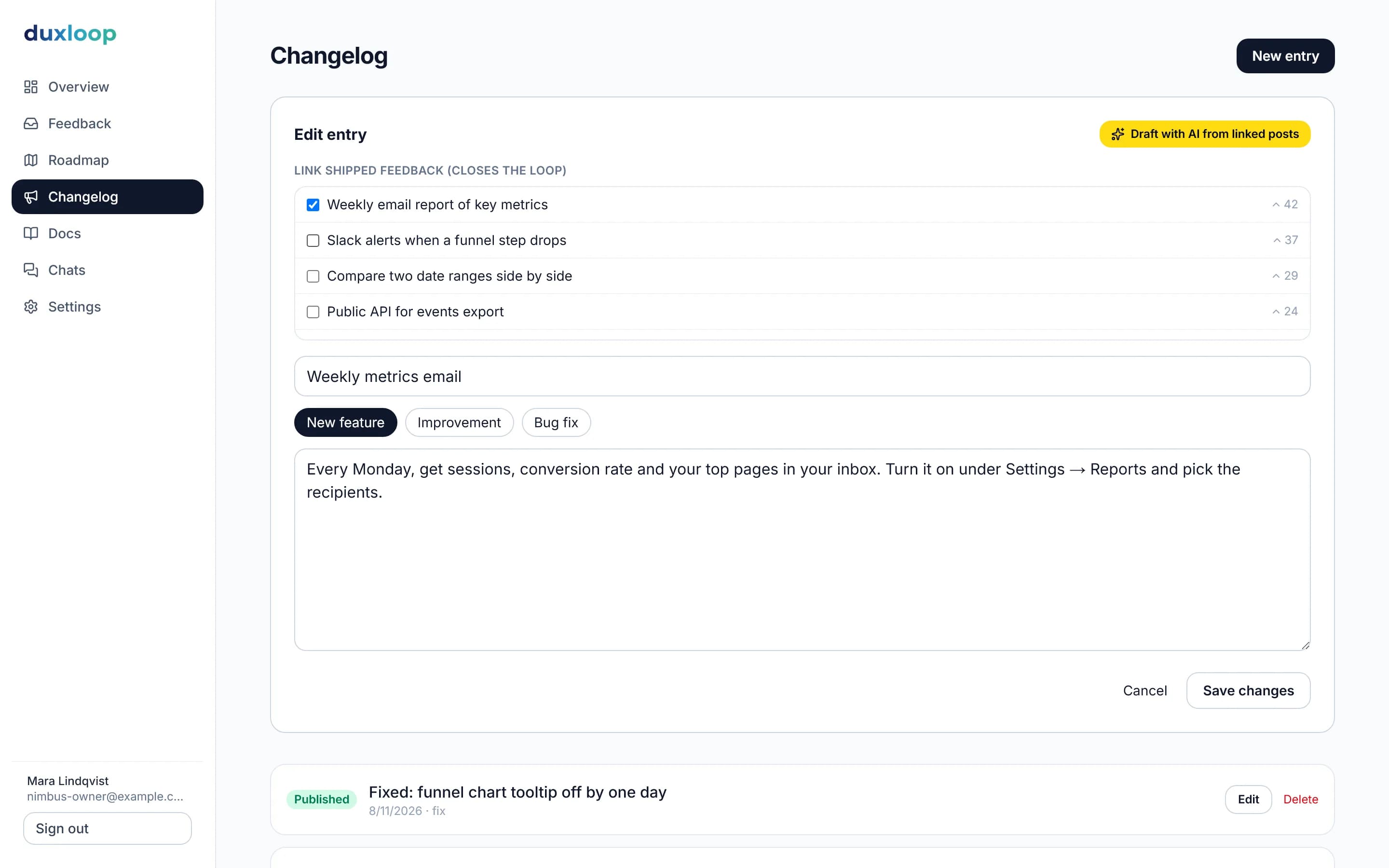
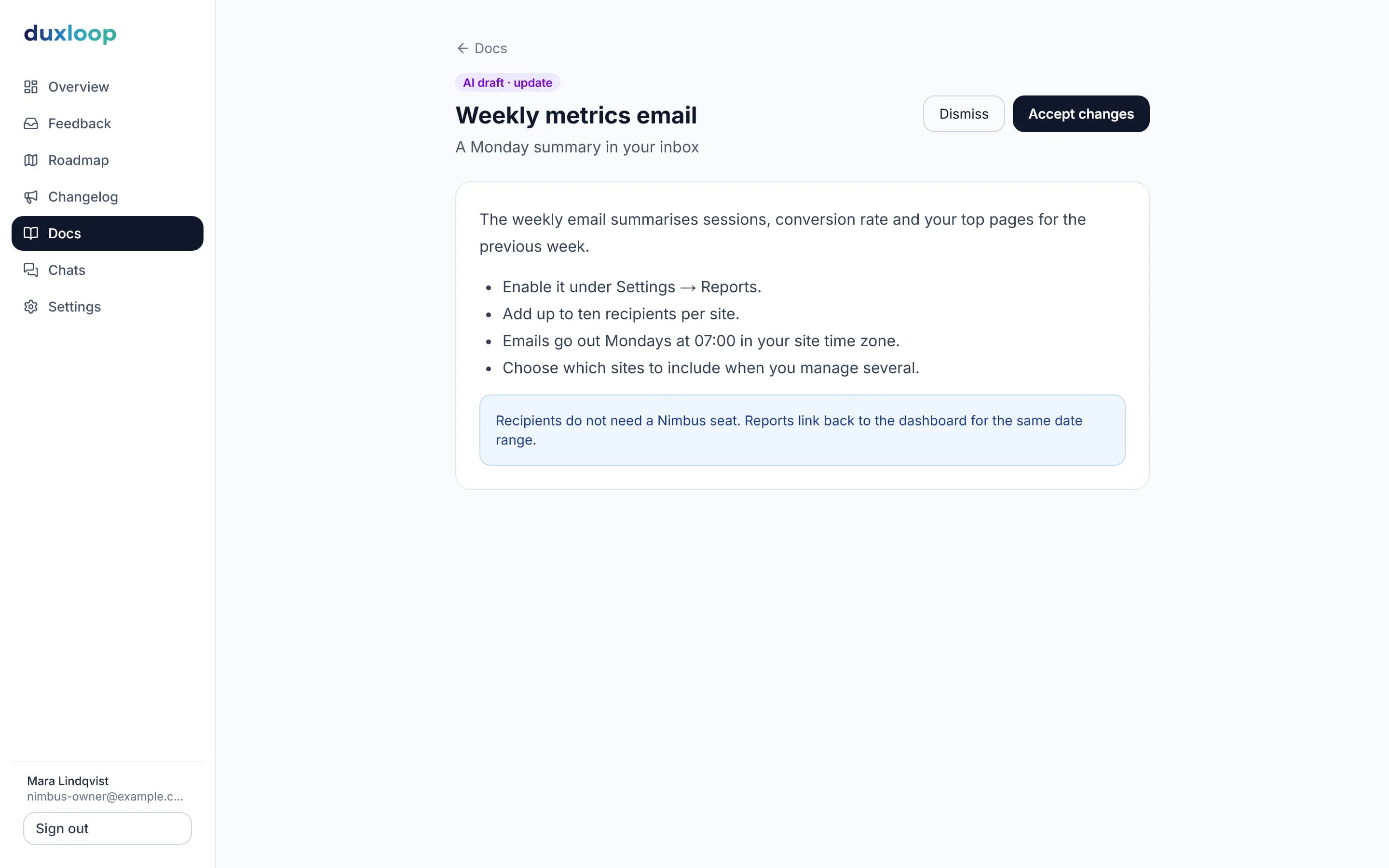
Docs update themselvesOnly in duxloop
The changelog entry becomes a docs draft. Review, accept, done.
Four modules, one data model
Feedback, roadmap, changelog and docs share the same posts, statuses and AI — nothing to sync.
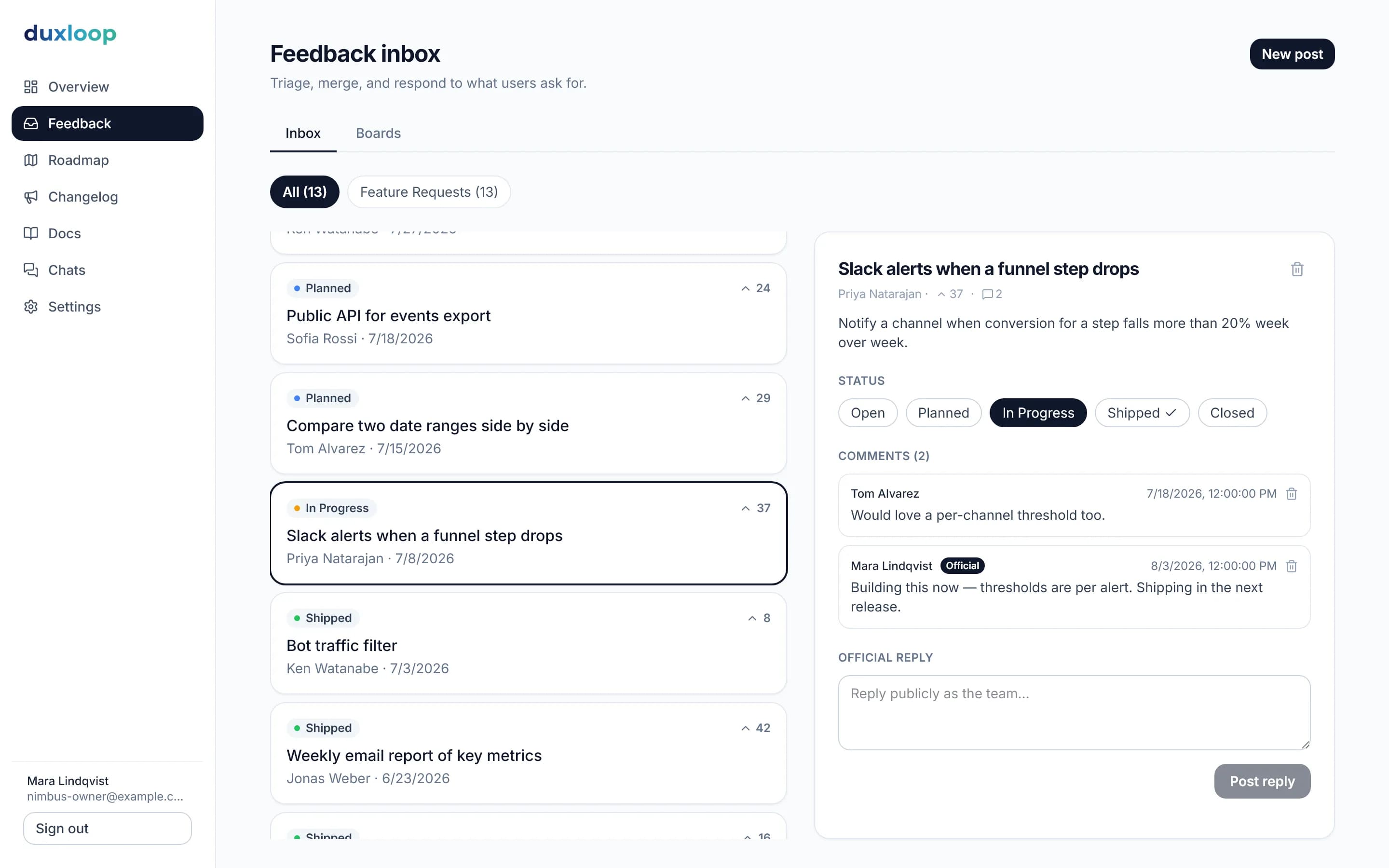
Feedback
Feedback that organizes itself
A public board where users post, vote and follow. You triage with statuses, merge duplicates and answer in one place.
- Voting, comments and official replies
- Embeddable widget with your brand colour
- Followers notified on every status change
Roadmap
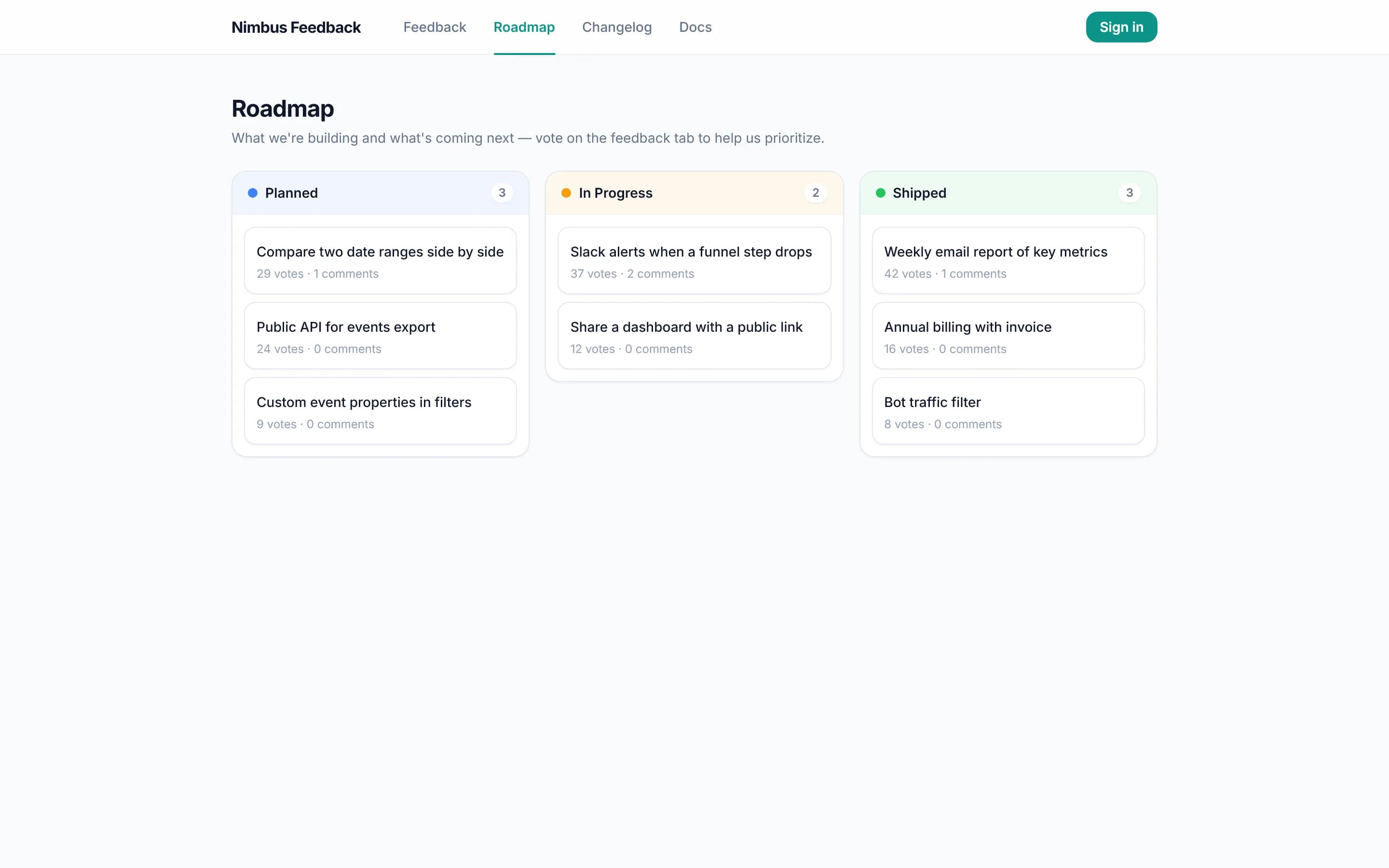
A roadmap your users can trust
Columns are your statuses. Move a post and the public roadmap updates — no second board to maintain.
- Public roadmap page on your portal
- Vote counts as prioritization signal
- Planned → In progress → Shipped
Changelog
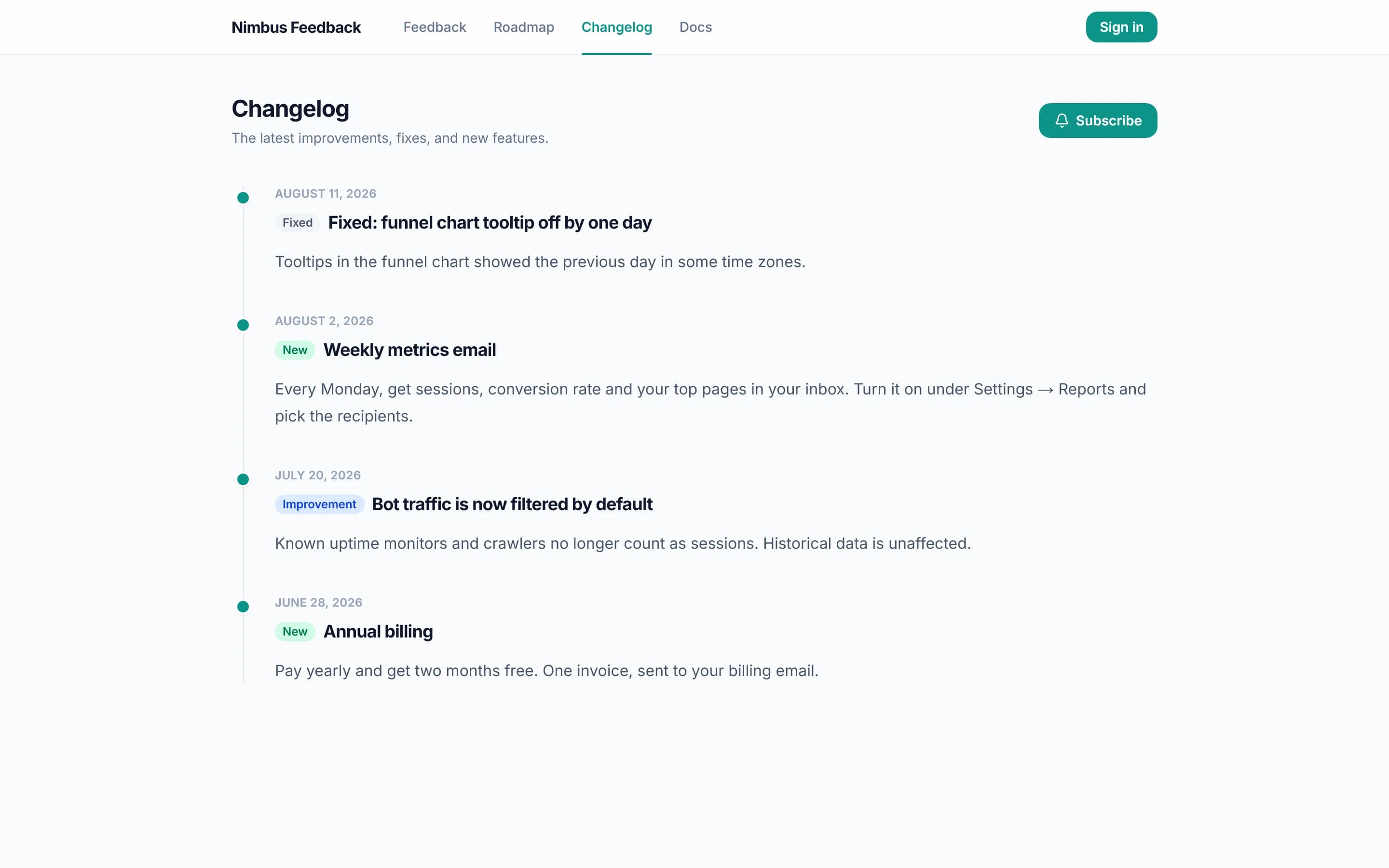
Ship it, and everyone who asked hears about it
Write the entry, link the posts, publish. Followers get an email; the rest see it in the weekly digest.
- Link posts to a release
- Follower emails + weekly digest
- Public changelog page, white-label on Pro
Docs & AI
Docs that keep up with your product
A docs site with search and an Ask AI box that answers from your pages — and drafts the update when you publish a changelog entry.
- Editor with sections and page tree
- Semantic search + Ask AI on every plan; chat widget on Pro
- Changelog → docs draft, llms.txt
Built to be trusted
Hosted in Germany
Runs on servers in Nuremberg. AI features send only the text being processed to our AI provider.
Flat pricing
One price for the whole team. No per-seat, per-user or per-tracked-user fees.
Your domain, your brand
Brand colour on every plan; custom domain and white-label widget & emails on Pro.
No lock-in
Public portal, plain data model and llms.txt for your docs. Leave whenever you like.
Simple pricing
Start free. Upgrade when you outgrow the limits.
Free
€0 forever
- 1 team seat
- 10 docs pages
- 20 feedback posts
- Portal on your duxloop subdomain
- Voting, statuses, roadmap & changelog
- Embeddable widget
- Semantic docs search & weekly digest
Pro
€29 / month
- Unlimited seats, docs pages & posts
- Custom domain
- White-label widget & emails (no "Powered by duxloop")
- AI chat widget & AI doc drafts (2,000 AI actions/month)
- Automatic EN↔DE translation of docs, changelog, roadmap & boards
- Everything in Free
- 14-day free trial
Frequently asked questions
What counts as a seat?
A seat is a team member who signs in to the dashboard. People who vote, comment or read your docs on the portal are not seats and are unlimited on every plan.
Can I use my own domain?
Yes, on Pro. Point a CNAME at duxloop and your portal, roadmap, changelog and docs are served on your domain with automatic TLS.
What happens when the trial ends?
You keep everything. Subscribe to stay on Pro or continue on Free within its limits — nothing is deleted.
Does the widget slow down my site?
No. It is one small script that renders a button; the panel loads in an iframe only when someone opens it.
Where is my data hosted?
On servers in Nuremberg, Germany. AI features send only the text being processed to our AI provider. Details are in the privacy policy.
What happens when I hit a Free limit?
Free includes 20 feedback posts, 10 docs pages and 200 AI actions a month. At the limit you can’t create more until you upgrade; existing content stays public. AI features pause for the rest of the month at the AI limit.